Staff Attendance
This page tracks, week by week, each teacher's presence at their lessons: present, absent, justified absence, or replaced by a colleague. It relies on the timetable: only the slots actually scheduled for the person appear. Accessible from Human Resources → Staff attendance.
Permissions. The page requires access to the Academic Management module and the permission to enter staff attendance.
Choose a teacher and a week
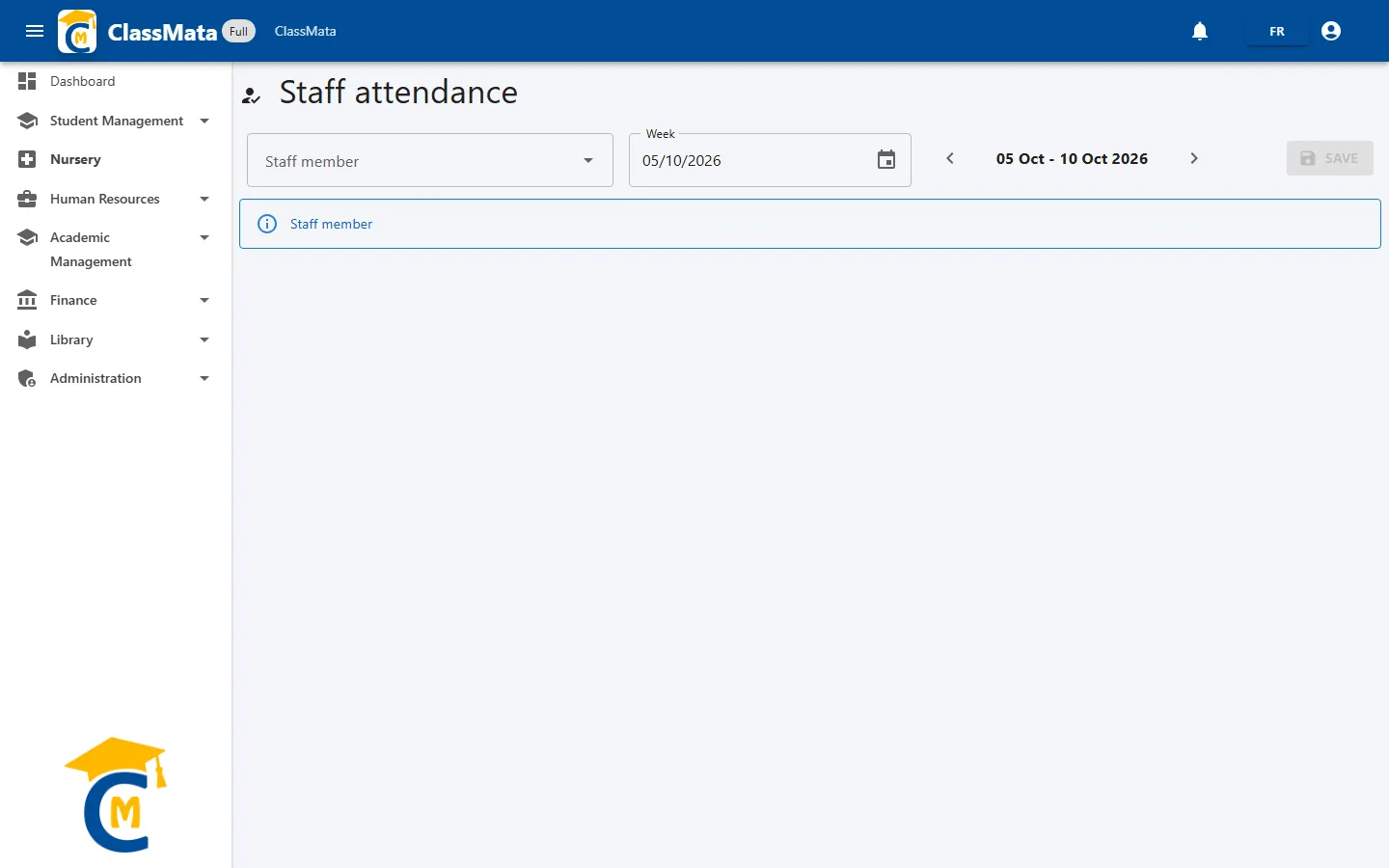
When the page opens, a message asks you to pick a Staff member. Type a few letters of their name or registration number, then select them from the list. Then choose the Week: click the calendar icon and select any day of the week you want, or use the ‹ and › arrows to move to the previous or next week. The displayed range (for example "05 Jan - 10 Jan 2026") runs from Monday to Saturday.
The week grid
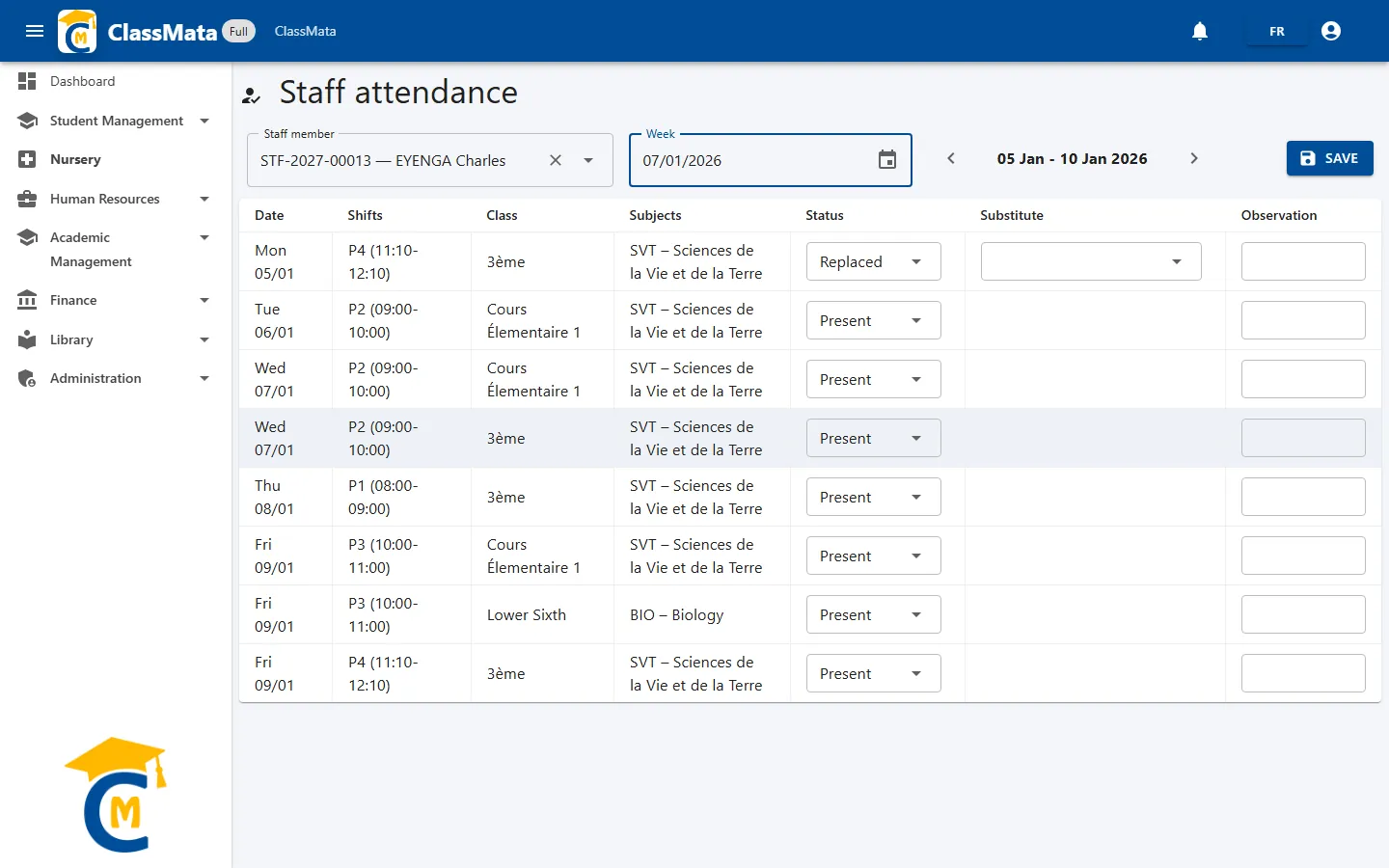
Each row is one of the teacher's lessons during the week:
| Column | Content |
|---|---|
| Date | Day of the lesson |
| Shifts | The slot's time range (P1 08:00-09:00, P2…) |
| Class | Class concerned |
| Subjects | Subject taught |
| Status | Present, Absent, Justified or Replaced |
| Substitute | Colleague who covers the lesson (when the status is Replaced) |
| Observation | Free remark |
By default every lesson is displayed as Present: you only need to change the exceptions. Beware: this "Present" is only a display until the week has been saved. If no lesson is scheduled for the teacher that week, a warning message "No data for the moment" appears.
Set a status
Click a row's Status list:
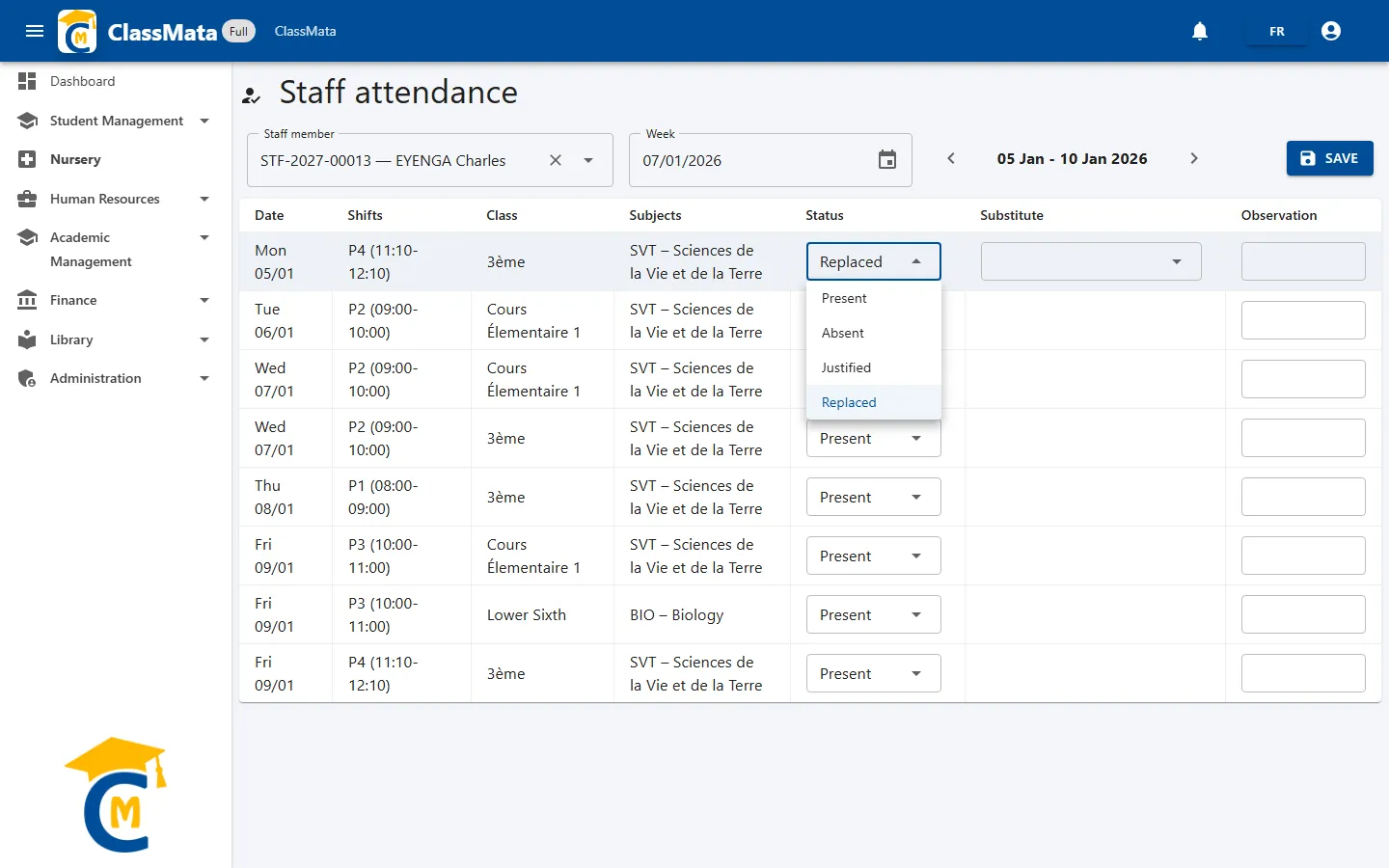
| Status | When to use it |
|---|---|
| Present | The teacher gave the lesson (default) |
| Absent | Unjustified absence |
| Justified | Justified absence (illness, mission, authorisation…) |
| Replaced | A colleague gave the lesson in their place |
With Replaced, a Substitute list appears on the row: pick the colleague who taught the lesson.
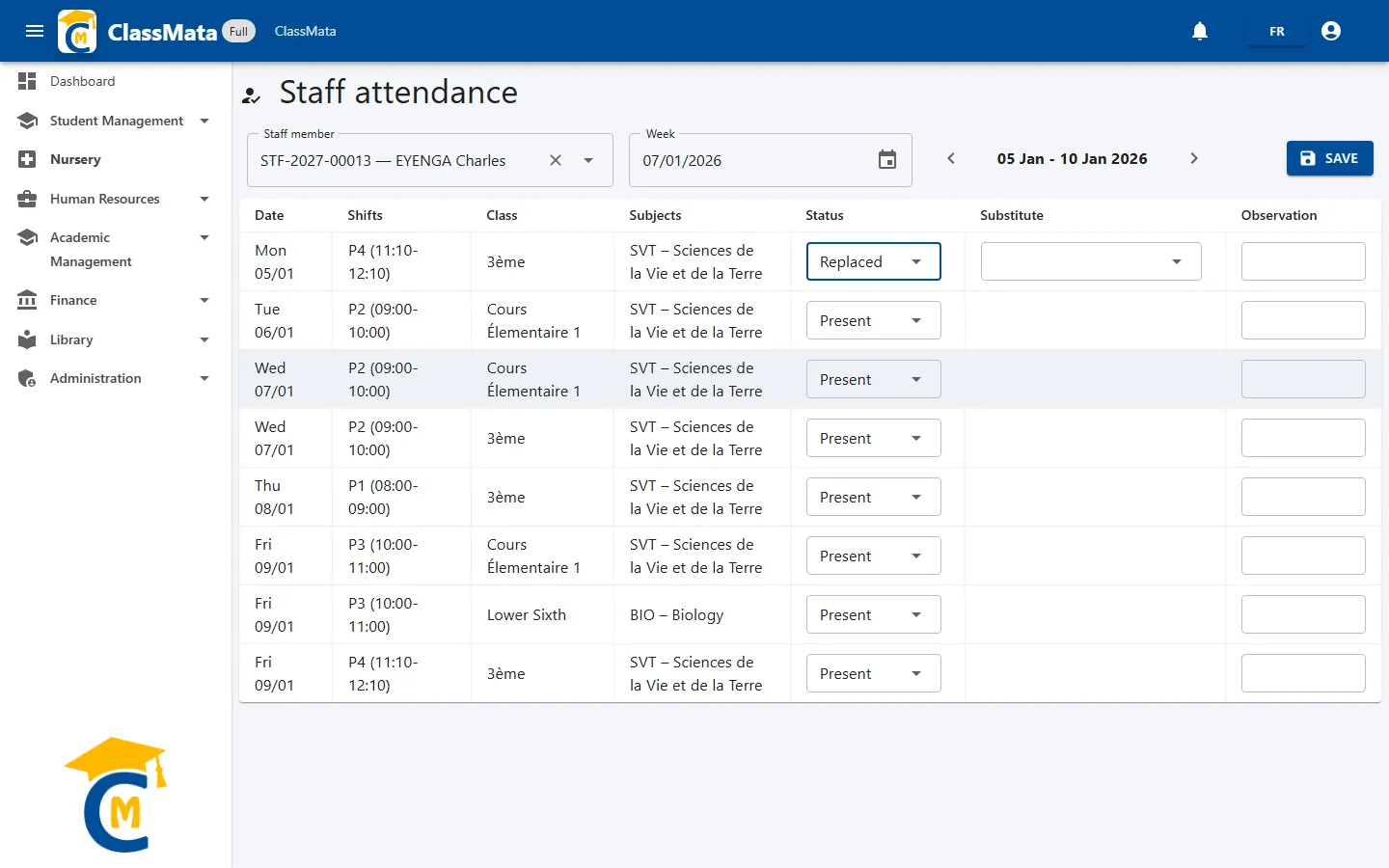
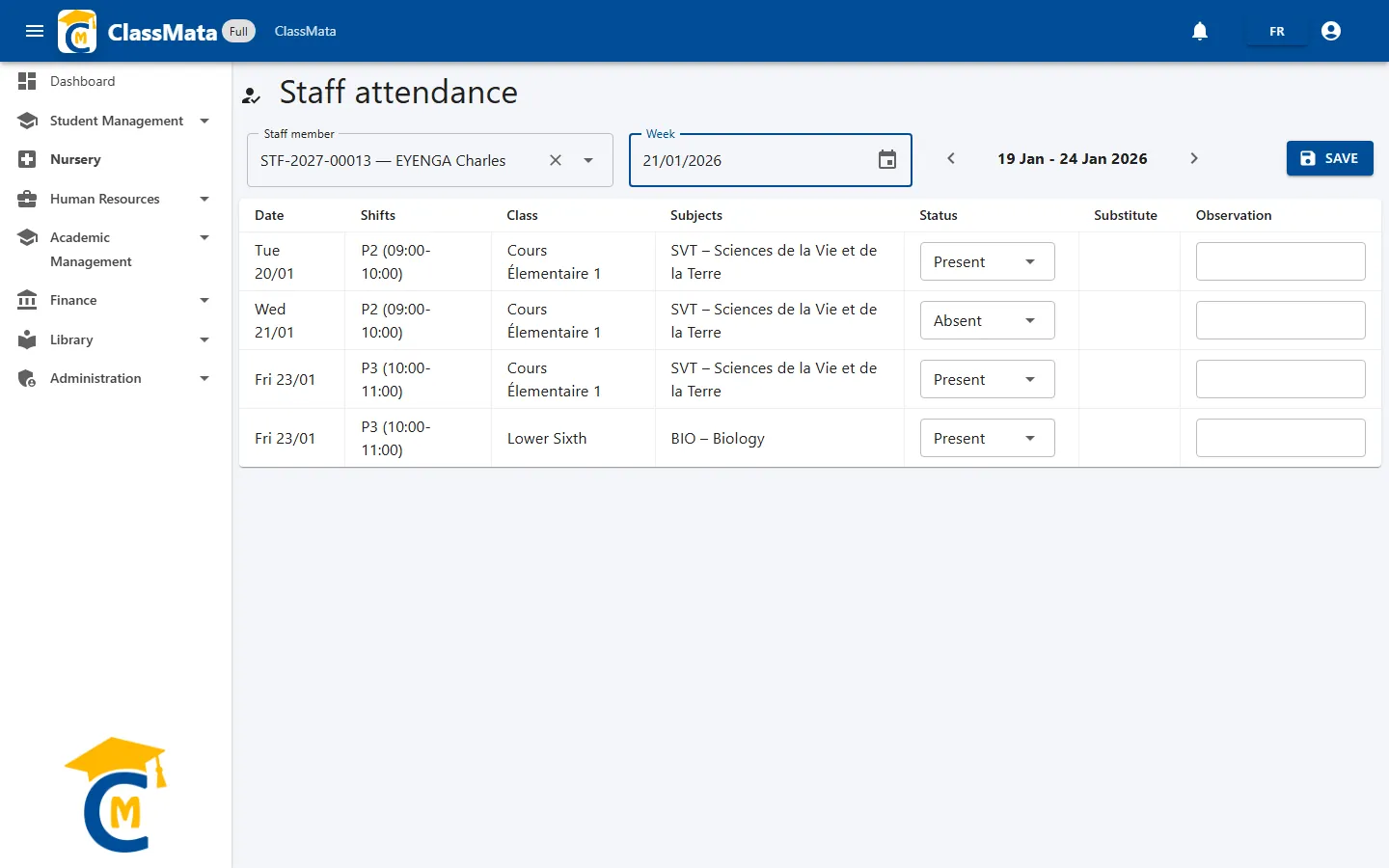
Here is, for another week, an example day with an Absent status:
Save
Click Save to store all the statuses of the displayed week at once; the Save done ! message confirms it. The button stays greyed out until a teacher is selected.
Remember to save before changing week or teacher: statuses that were changed but not saved are lost when the grid reloads.
Saving is also what feeds the Hours done of the Lesson Coverage page: only lessons saved as Present or Replaced are counted there.
The substitute is only kept for "Replaced" rows: if you set a row back to Present, Absent or Justified, the chosen substitute is cleared.
Last updated: