Fee Structures
A fee structure says how much a student has to pay: which fees (registration, tuition, optional fees…), for what amounts and, with installments, on what schedule. Each class is attached to one structure; it is then used to work out what every student owes when payments are collected. Accessible from Finance → Fee Structures.
Permissions. The page requires access to the Finance module and the permission to manage fee structures.
The page has two tabs: Tuition (the structures and their fee lines) and Installments (the payment schedules).
Tuition structures
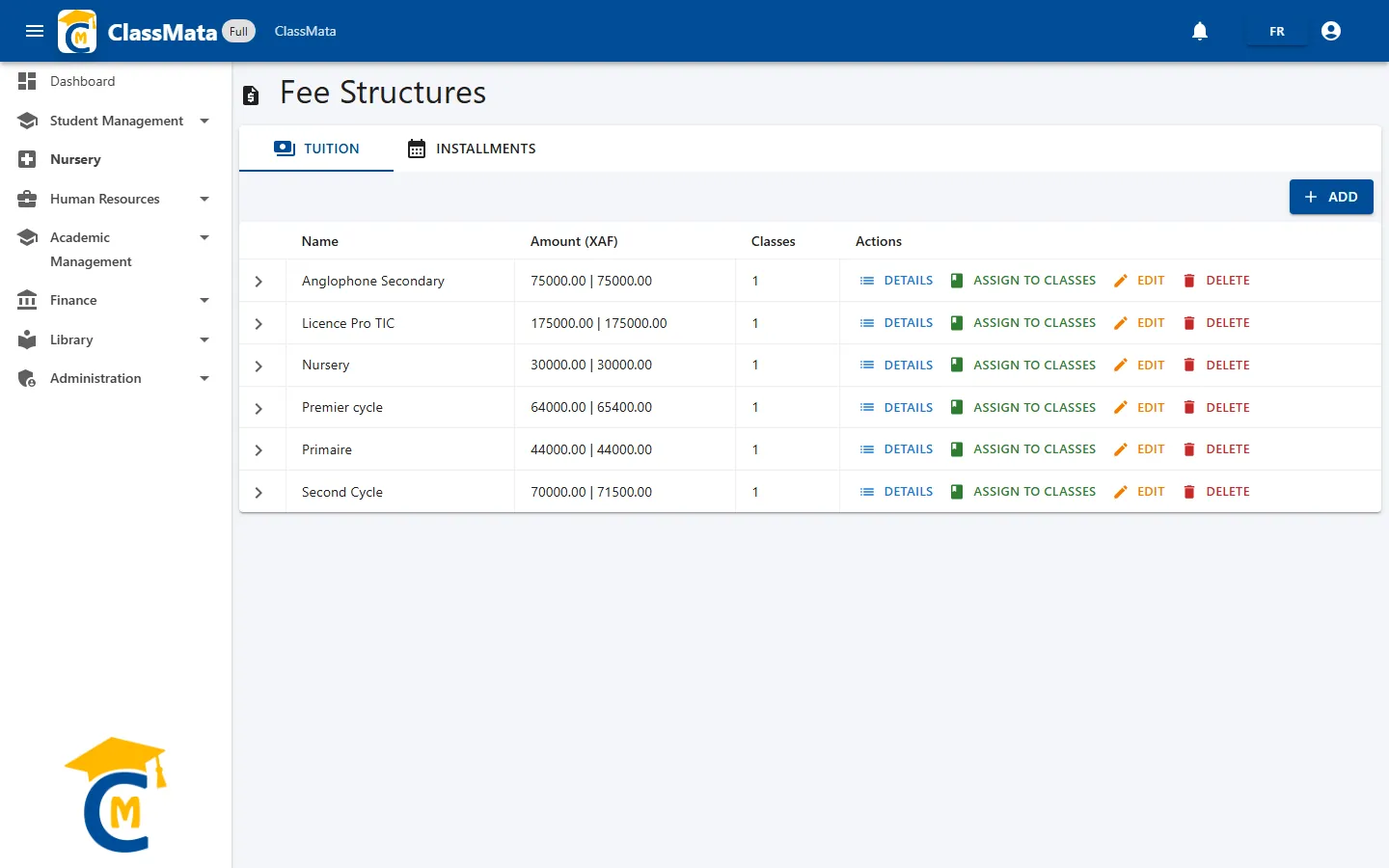
| Column | Content |
|---|---|
| Name | Structure name (for example "Premier cycle") |
| Amount (XAF) | Two totals separated by a bar: the sum of the basic amounts, then the sum of the basic amounts plus the "new student" supplement |
| Classes | Number of classes that use the structure |
| Actions | Details, Assign to classes, Edit (the name) and Delete |
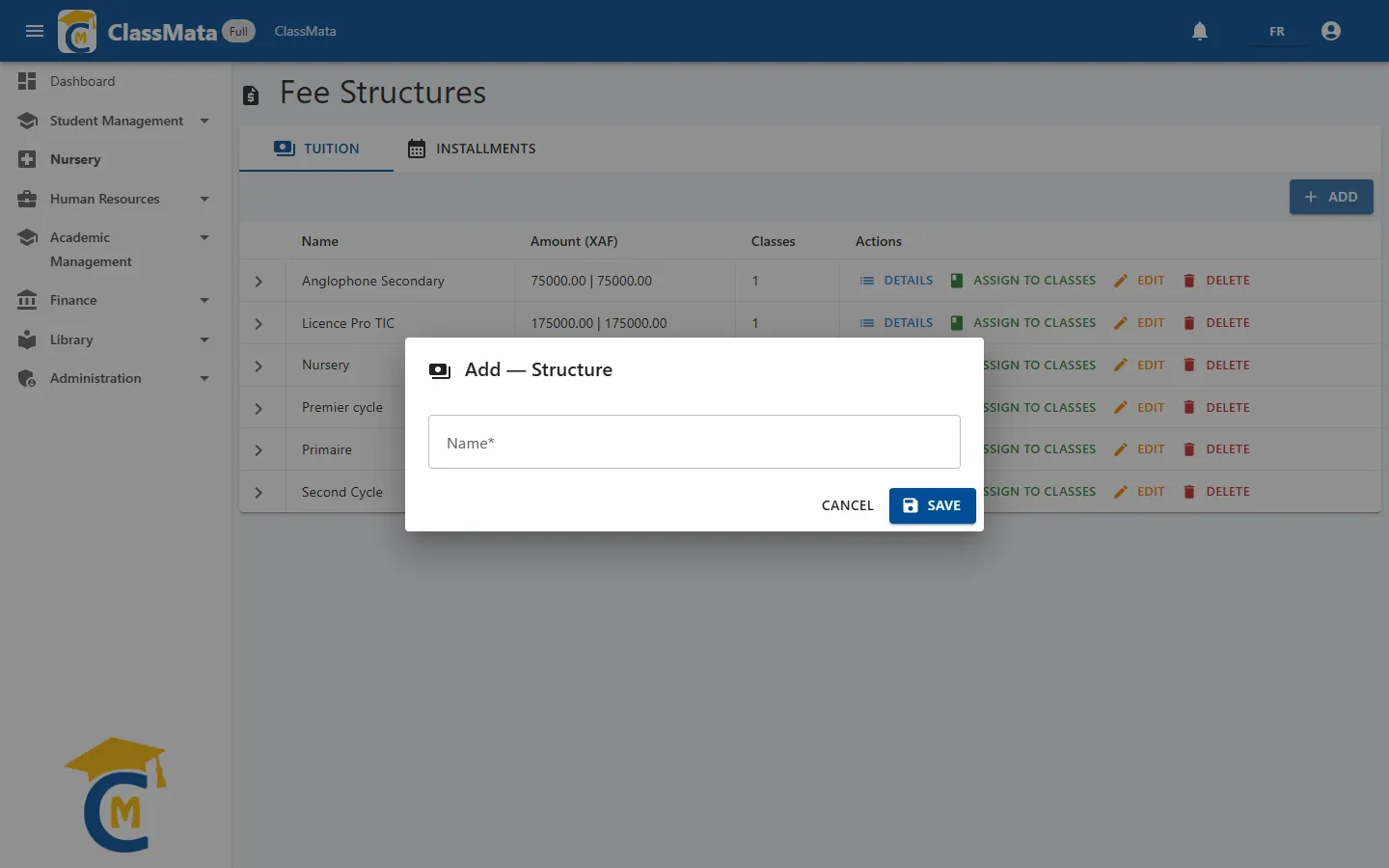
The Add button creates a structure: just give it a Name (for example "Nursery" or "Second Cycle"), then add its lines.
Fee lines
The Details button opens the structure's lines:
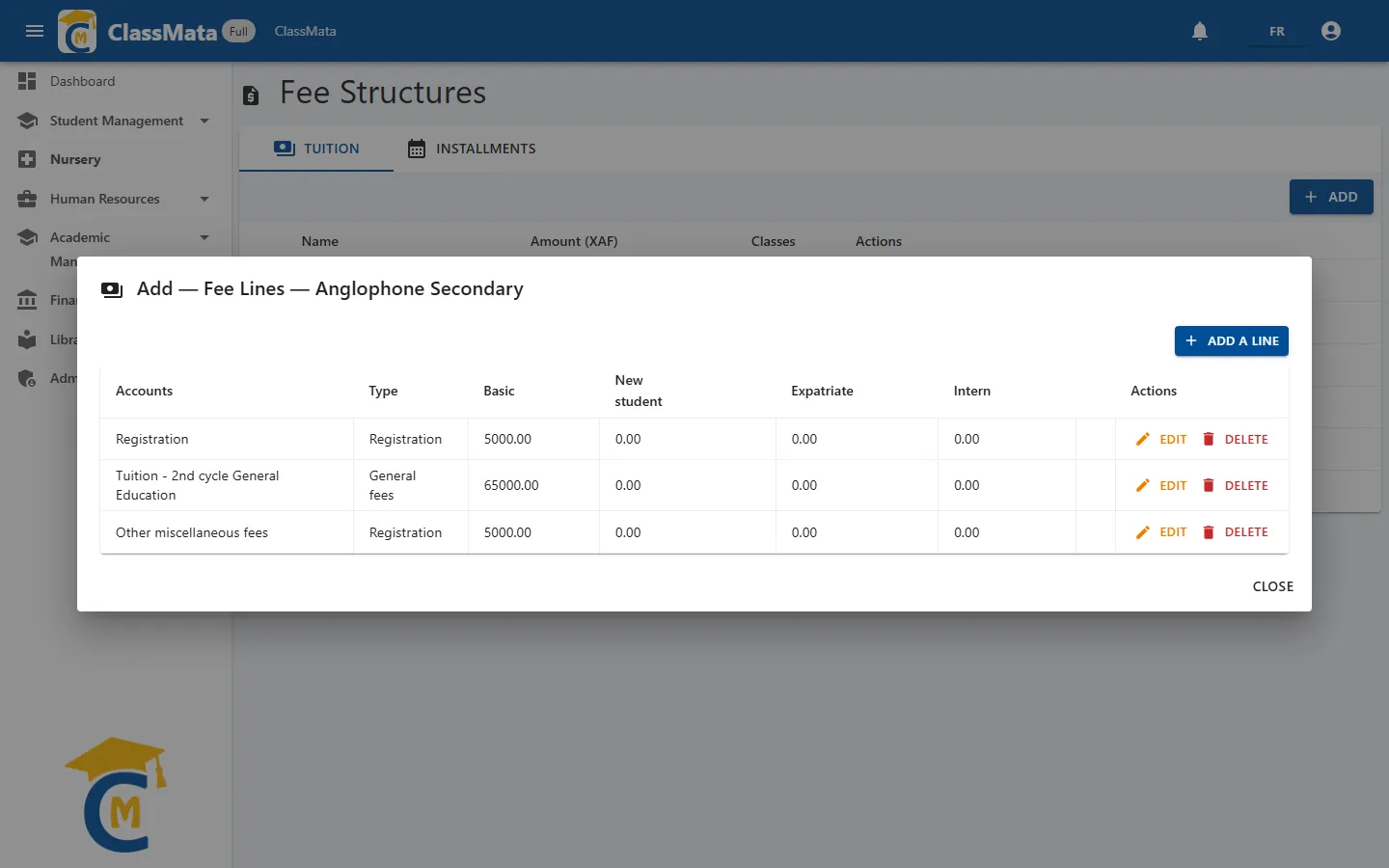
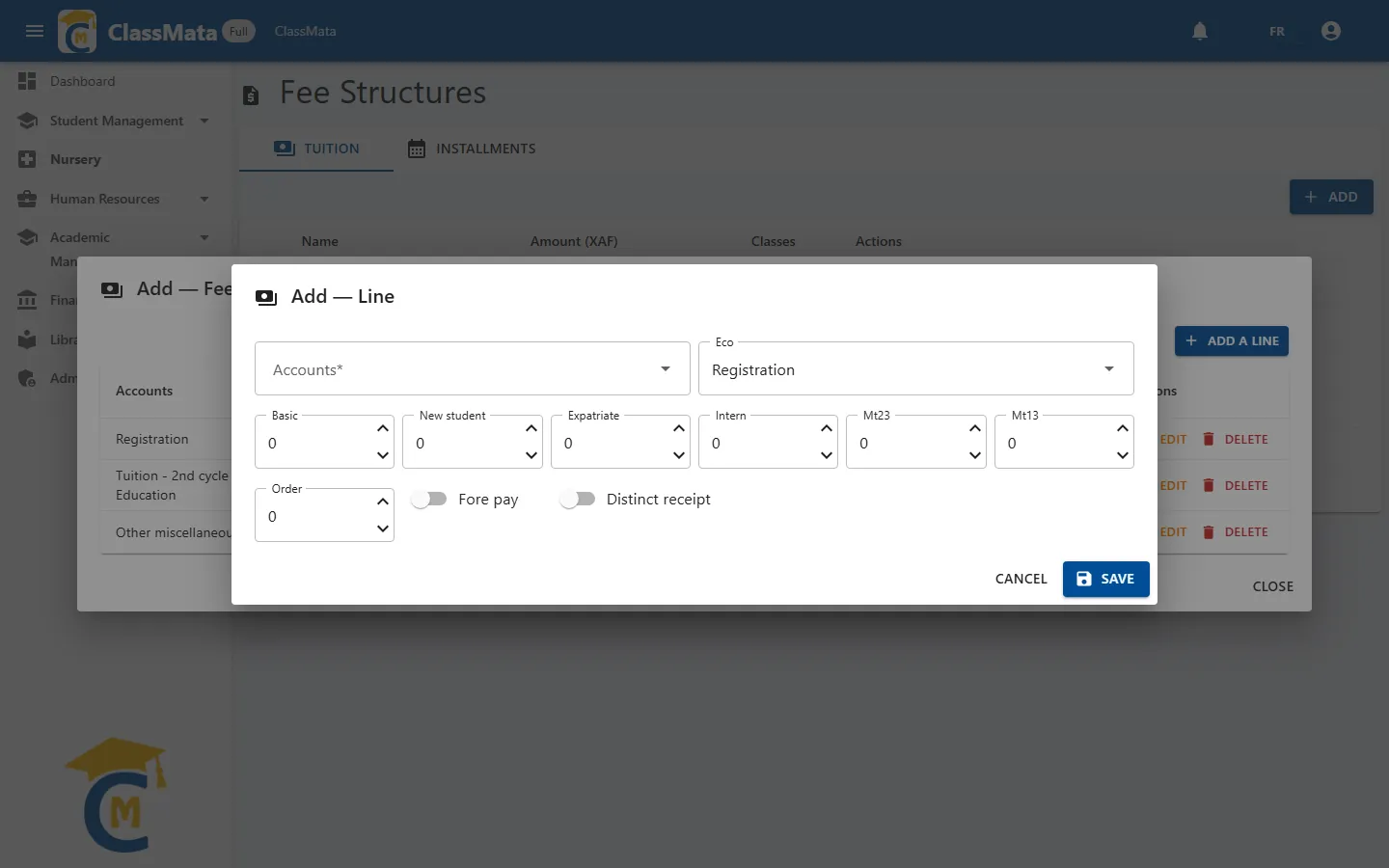
Each line links an account of the accounting plan to a type of fee and to amounts. The Add a line button opens the form:
| Field | Content |
|---|---|
| Accounts | The account being billed. Only the accounts marked "Linked to students" in the accounting plan are offered. The line's name is the account's name. |
| Eco | The type of fee, see below |
| Basic | Amount due by every student |
| New student | Supplement added for new students |
| Expatriate | Supplement added for expatriate students |
| Intern | Supplement added for boarding students |
| Mt23, Mt13 | Amounts meant for "2/3" and "1/3" tuition plans. They are not used by the current calculations: leave them at 0 |
| Order | Line order: within the same type, payments fill the lines in this order |
| Fore pay | Allows the line to be paid partially (see below) |
| Distinct receipt | The line is printed on its own receipt |
The amount a student owes for a line is the basic amount, plus the "new student" supplement if they are a new student (not a returning one), plus the "intern" supplement if they board, plus the "expatriate" supplement if they are expatriate. The Boarder and Expatriate boxes are ticked in the student's record.
The four fee types
| Type (Eco) | Use |
|---|---|
| Registration | Registration fees. Paid first |
| General fees | The tuition itself. Paid after registration; its total is what the installment schedule must add up to |
| Other fees required | Compulsory fees other than registration and tuition. Paid after the tuition |
| Optional fees | Optional fees. They are not part of the amount to pay: they are collected separately with the Optional fees button of Transactions |
Order of allocation. When a payment is collected, ClassMata spreads it automatically: first the Registration lines, then General fees, then Other fees required, and, within each type, following the line's Order. A line is only paid partially if it has Fore pay; otherwise it is settled in one go, or skipped so the payment moves to the next line that can be paid in full.
Edit and Delete act on the line. Changing an amount immediately changes what the class's students still owe.
Assign a structure to classes
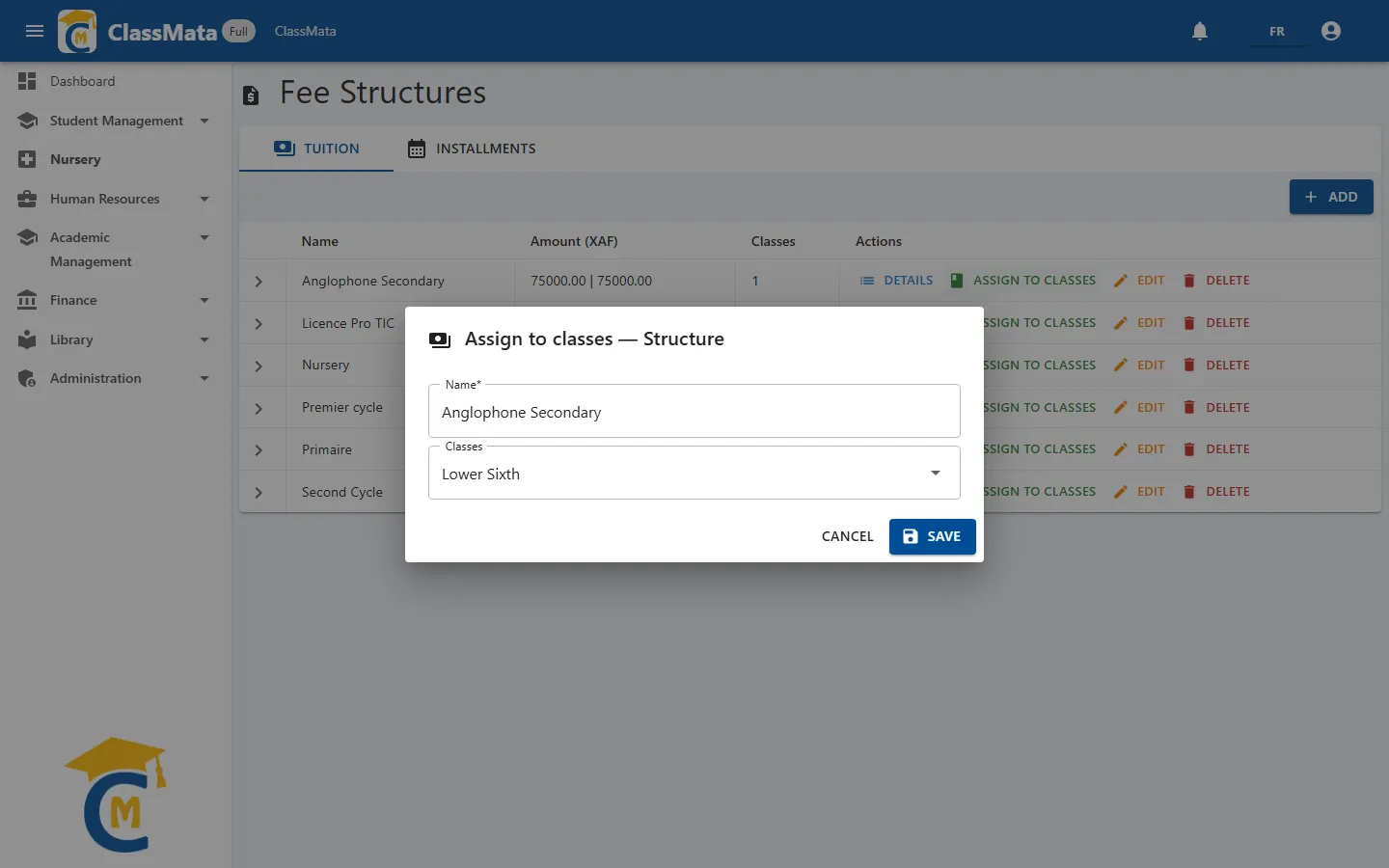
Assign to classes opens the list of classes with check-boxes and the Select all option. Tick the classes that must use the structure and click Save. A class has only one fee structure: assigning it here detaches the previous one; classes that used the structure and that you untick no longer have one.
A class without a fee structure can receive neither tuition payments nor scholarships, and its students cannot pay at registration.
Delete a structure
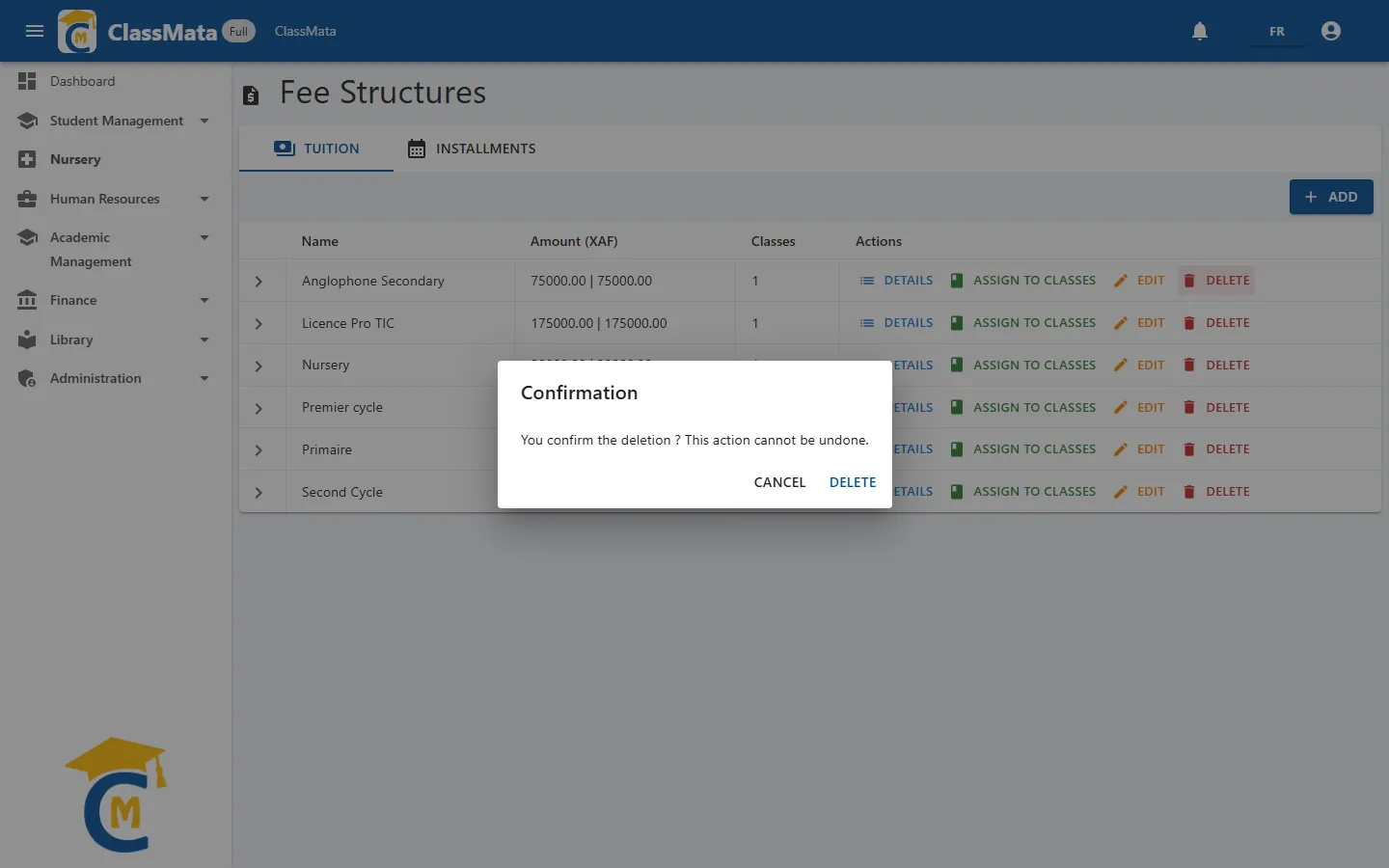
Delete asks for confirmation. A structure still assigned to classes cannot be deleted: detach it from the classes first. If the online version only shows "Error while connecting to the server" after you confirm, it means the structure is still in use.
Installments (payment schedules)
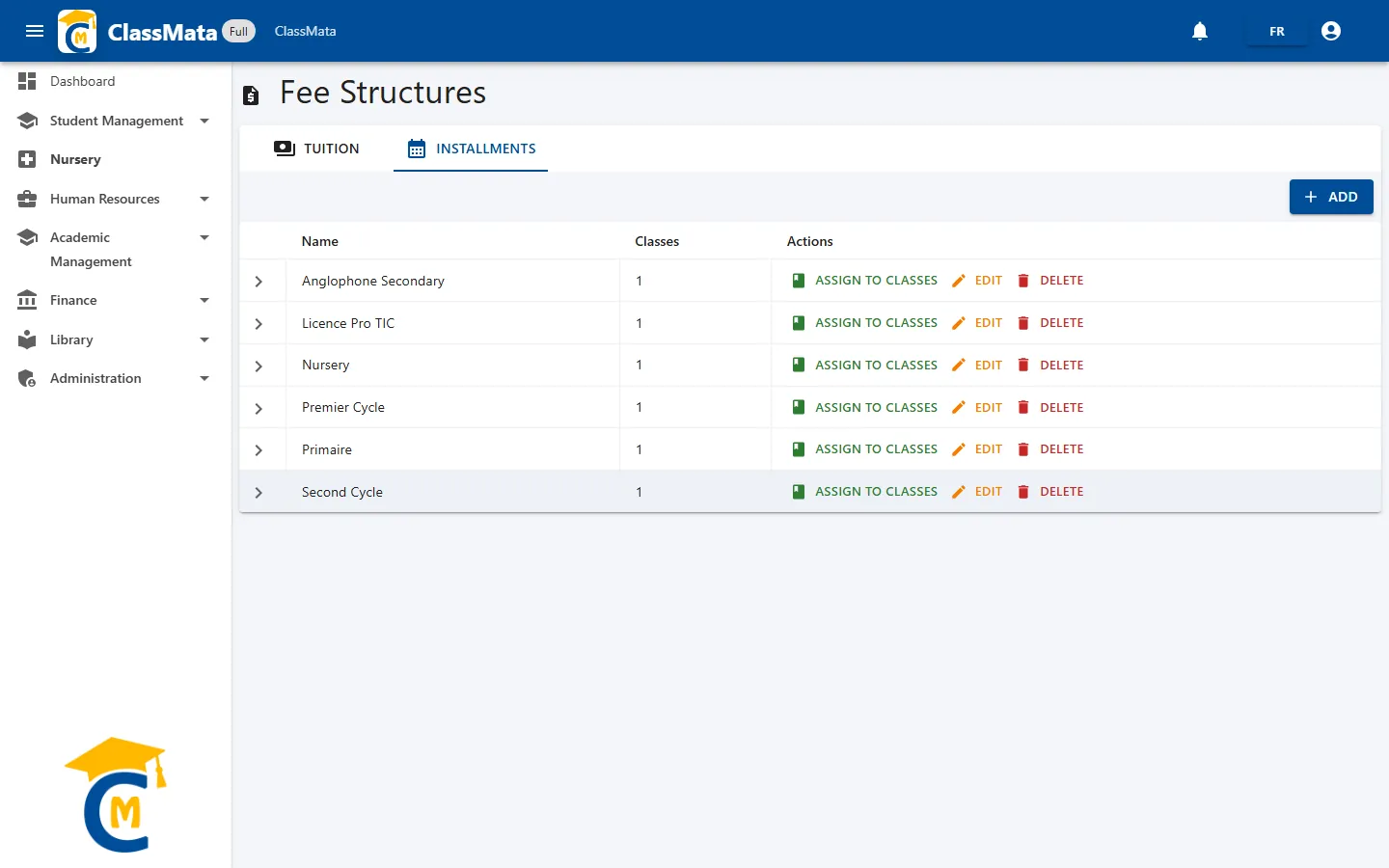
A schedule splits the tuition into up to four installments, each with an amount and a deadline. The Installments tab lists the schedules, the number of classes that use them and the Assign to classes, Edit and Delete actions.
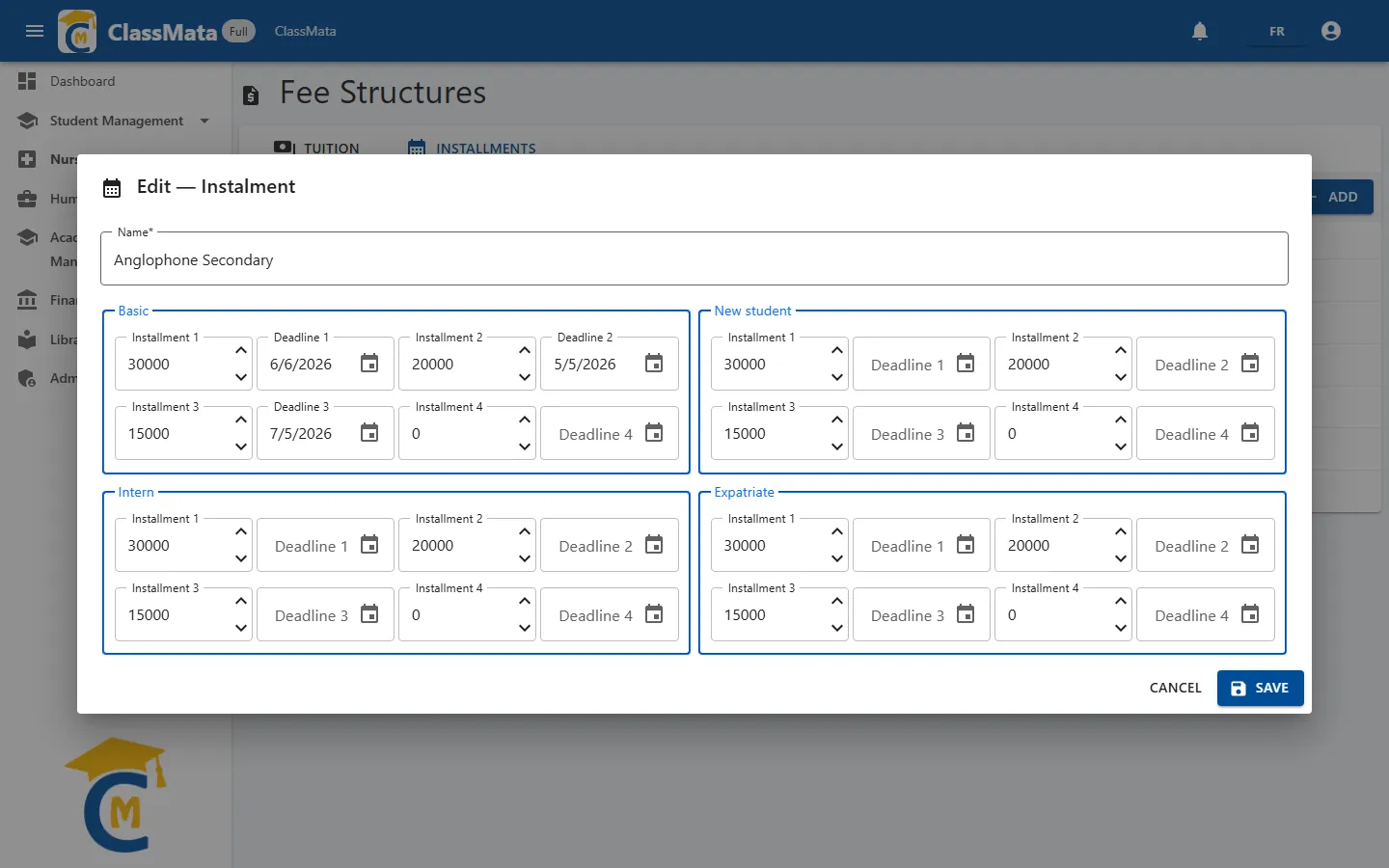
The form asks for a Name, then four blocks, one per student category: Basic, New student, Intern and Expatriate. In each block, enter for every installment the amount (Installment 1 to Installment 4) and the deadline (Deadline 1 to Deadline 4). A deadline cannot be earlier than the previous one. Leave unused installments at 0.
For a given student, ClassMata uses the block of their category, in this order of priority: expatriate, then intern, then new student, then basic. The progress of the installments (already paid, still to pay, deadline) appears on the student's receipts.
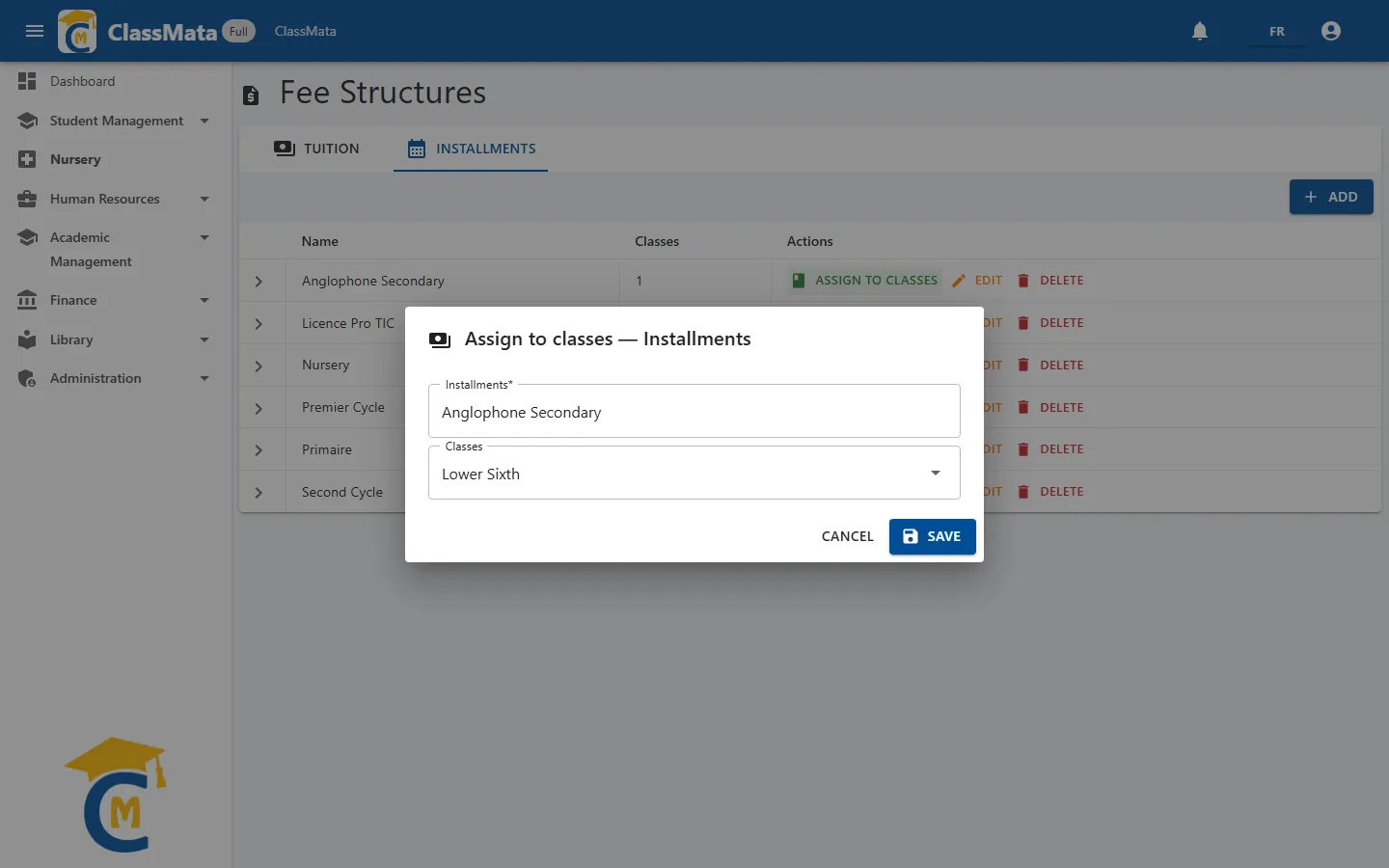
Assign to classes works like it does for fee structures, with two checks:
- the class must already have a fee structure;
- in every category, the total of the installments must equal the total of the "General fees" lines of the class's structure (basic, basic + new student, basic + intern, basic + expatriate).
Otherwise the assignment is refused with a message giving the expected totals ("Class '…': installment total ≠ tuition total …"). Fix the amounts of the schedule or of the structure, then try again.
A schedule still assigned to classes cannot be deleted (detach it from the classes first).
Related settings. The Tuition deposit required at registration and First instalment required on first payment settings (on the Settings page) rely on these structures and on the first installment.
Last updated: