My Bulletin
The My Bulletin page shows the student their report card for the period: their subject averages, overall average, rank and discipline record. It is in the My Space group of the side menu (see My Grades for sign-in and the menu).
Permissions. The page requires the student-space access permission, like the other My Space pages.
Choose the period
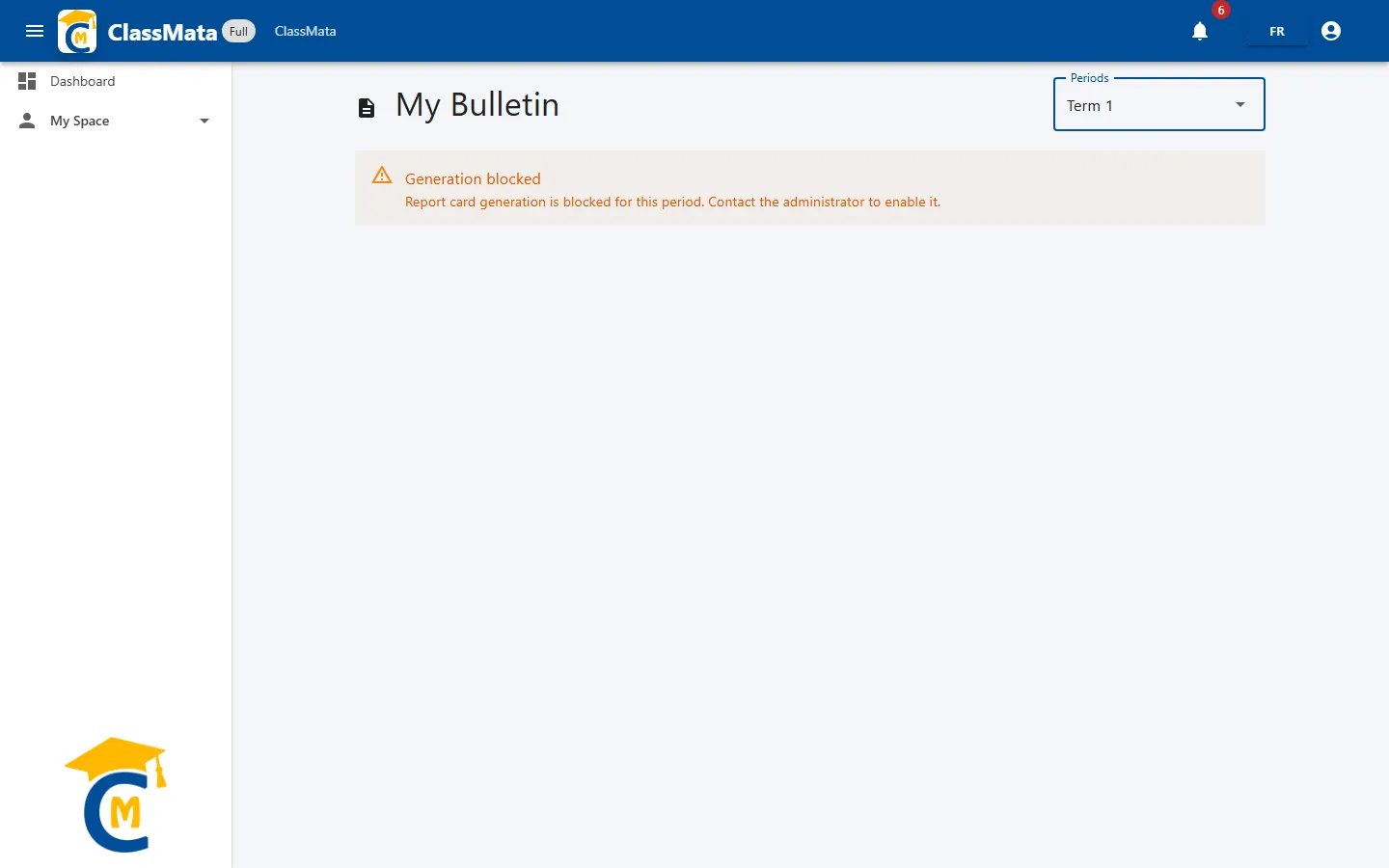
The Periods list, at the top right, chooses the period to consult.
Report card unavailable: period not activated
As for the school's printing of report cards, a report card is only visible if the period has been activated. Otherwise the page shows, instead of the report card, the Generation blocked message:
"Report card generation is blocked for this period. Contact the administrator to enable it."
The student (or their family) must then contact the school's administration, which activates the period on its side (see Report Cards & Statistics).
Report card content
For an activated period, the page shows, under the My Bulletin title:
- a table of subjects with, for each, the Coefficient and My average;
- below, the overall My average "out of 20" and My rank in the class (for example "3 / 8");
- a Discipline block that reuses the school's entries (see Attendance & Discipline):
| Line | Meaning |
|---|---|
| Conduct mark | The period's conduct mark |
| Warning, Blame, Exclusion | "Yes" or "No" |
| Absences (h) and Justified abs. (h) | Hours of unjustified and justified absence |
| Late | Number of late arrivals |
| Detentions (h) / Detentions (d) | Detentions in hours and days |
| Suspensions (h) / Suspensions (d) | Suspensions in hours and days |
If no assessment exists for the period, the message "No recent assessments." is shown.
Last updated: