Lesson Coverage
This page measures progress through the curriculum: for each subject of a class, how many lessons and hours of teaching were actually given compared with what was planned. Accessible from Academic Management → Lesson coverage.
Permissions. The page requires the permission to follow lesson coverage.
Two ways to look
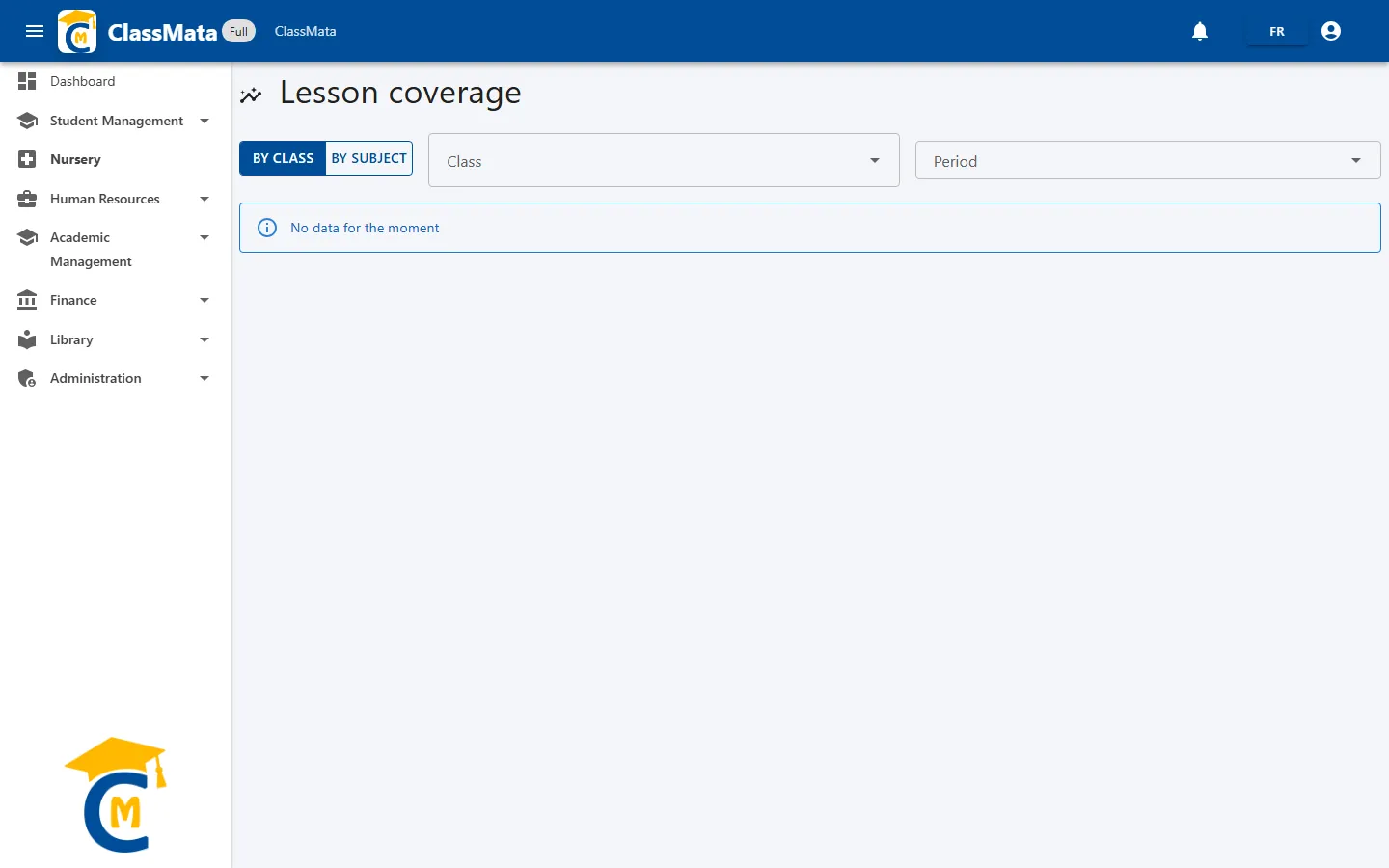
The selector at the top left chooses the angle of analysis:
- By class — all the subjects of one class: choose a Class and a Period;
- By subject — all the classes following one subject: choose a Subject and a Period.
Until the selection is complete, the message "No data for the moment" is shown.
By class
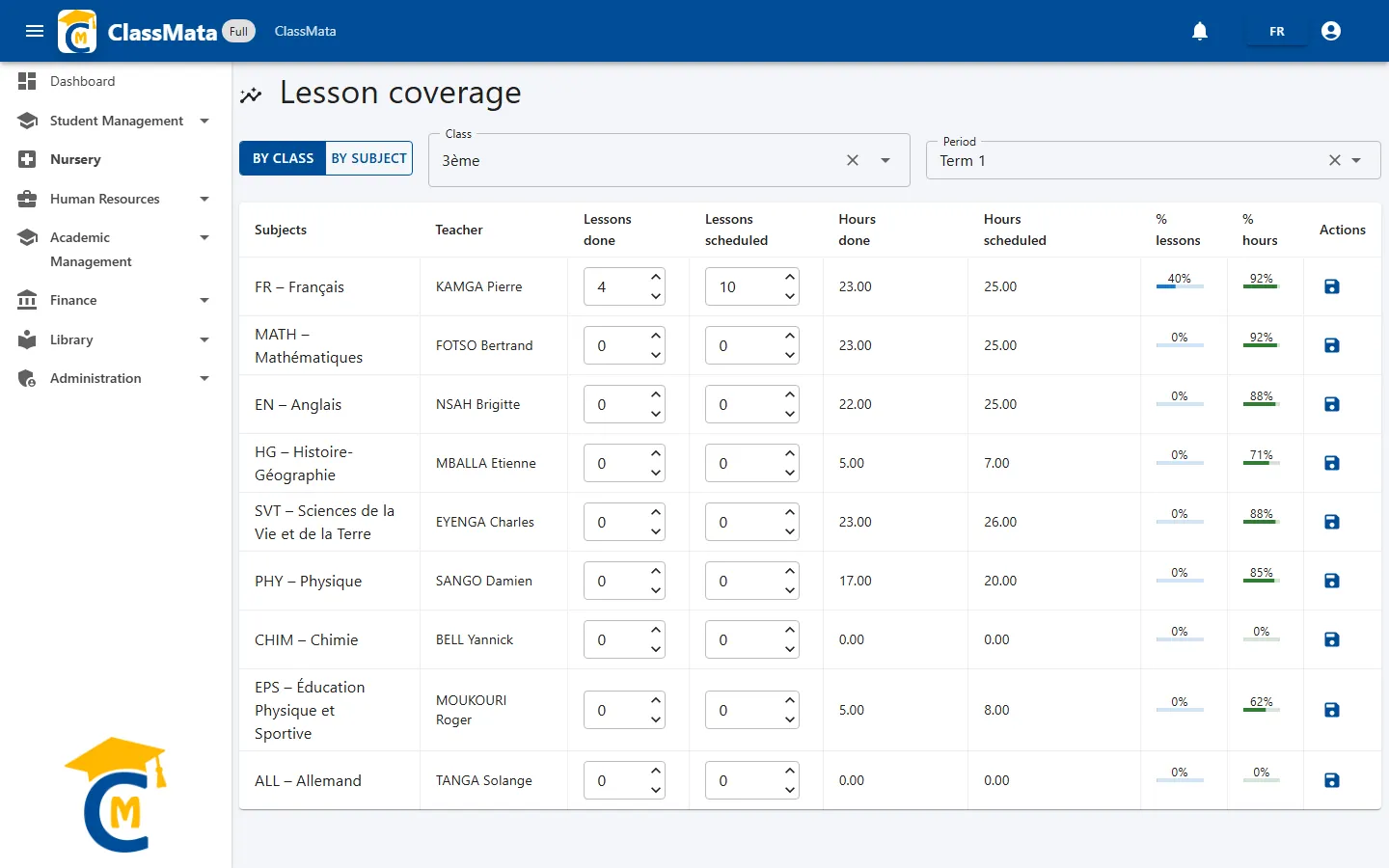
One row per subject taught to the class, with its teacher:
| Column | Origin |
|---|---|
| Lessons done / Lessons scheduled | Entered by hand by the teacher or administration |
| Hours scheduled | Computed: total length of the subject's lessons placed in the timetable over the period |
| Hours done | Computed: length of the lessons whose teacher is marked Present or Replaced in staff attendance |
| % lessons | Lessons done ÷ lessons scheduled (progress bar) |
| % hours | Hours done ÷ hours scheduled (progress bar) |
The two percentages complement each other: the hours one is deduced automatically from the planning and staff attendance, the lessons one depends on what you enter.
Update the lessons
Change Lessons done and Lessons scheduled in the subject's row, then click the disk icon in the Actions column: the row is saved ("Save done !" message). Each row is saved separately.
By subject
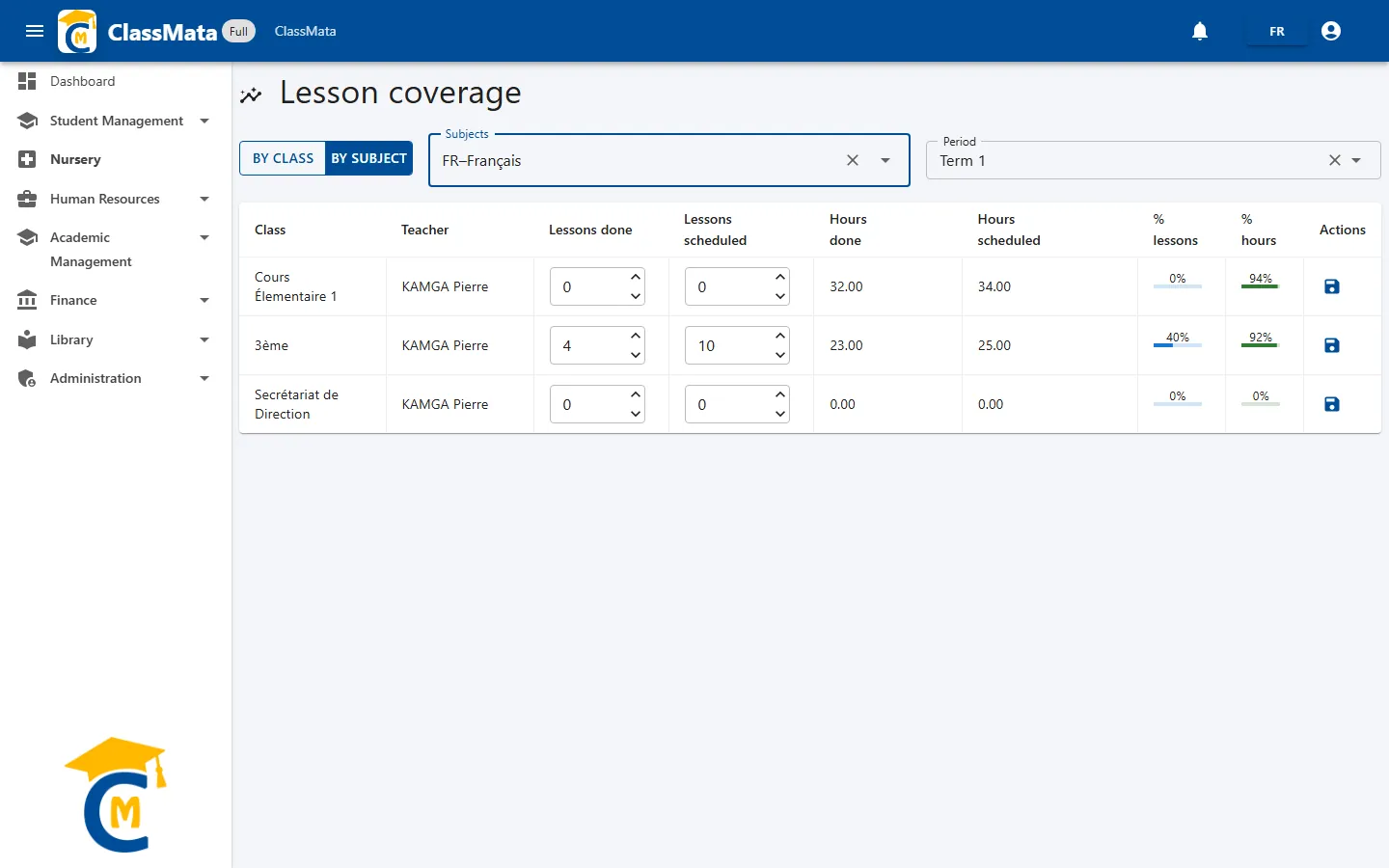
Same table, but one row per class for the chosen subject: handy to compare progress of the same subject between several classes or teachers.
For reliable hours, keep the timetable and staff attendance up to date. A lesson is only counted in Hours done if its attendance was saved as Present or Replaced: as long as a teacher's week has not been saved in Staff attendance (even if everything reads "Present" on screen), their lessons do not count.
Last updated: