Notification Templates
When something happens in ClassMata (a password reset, a payment received, an absence recorded…), the application sends a notification. The text, channel and importance of each notification are defined by a template, which this page lets you adjust. Accessible from Administration → Notification templates.
Permissions. The page requires access to Administration and the Notification templates permission (reports group of the Role Management screen).
The template list
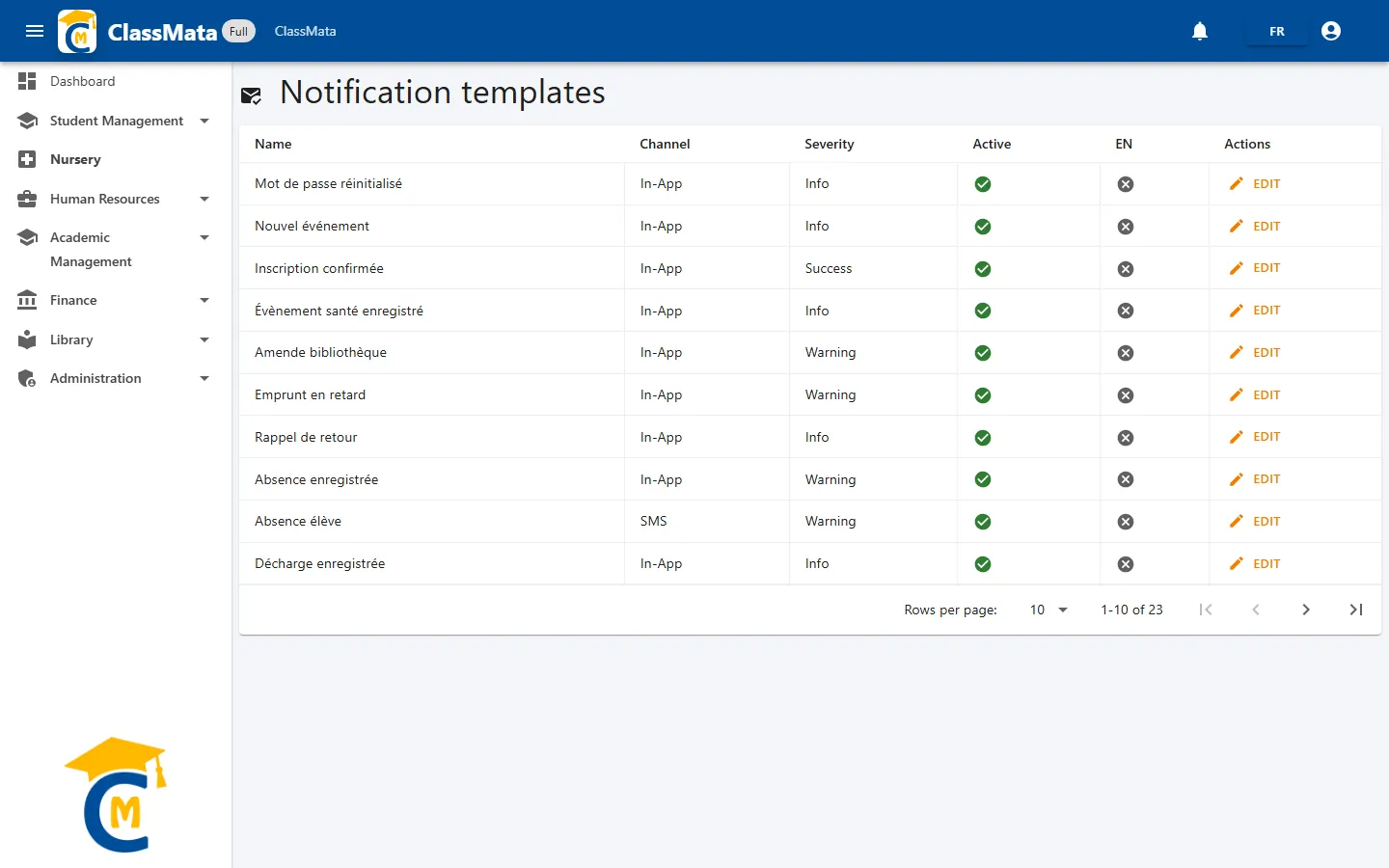
| Column | Content |
|---|---|
| Name | Template title (in French) |
| Channel | How the notification is delivered: In-App (inside ClassMata), Email or SMS |
| Severity | Info, Success, Warning or Error: colors the notification's icon |
| Active | Green tick if the template is used, grey cross if it is switched off |
| EN | Green tick if an English version (title or message) is filled in |
| Actions | Edit |
The table shows 10 templates per page. The same event can have several templates, one per channel: for example, a payment received can be notified in the application and by e-mail.
Adding and deleting templates is reserved to the ClassMata team: the events that trigger a notification are built into the application. You adapt the texts.
Edit a template
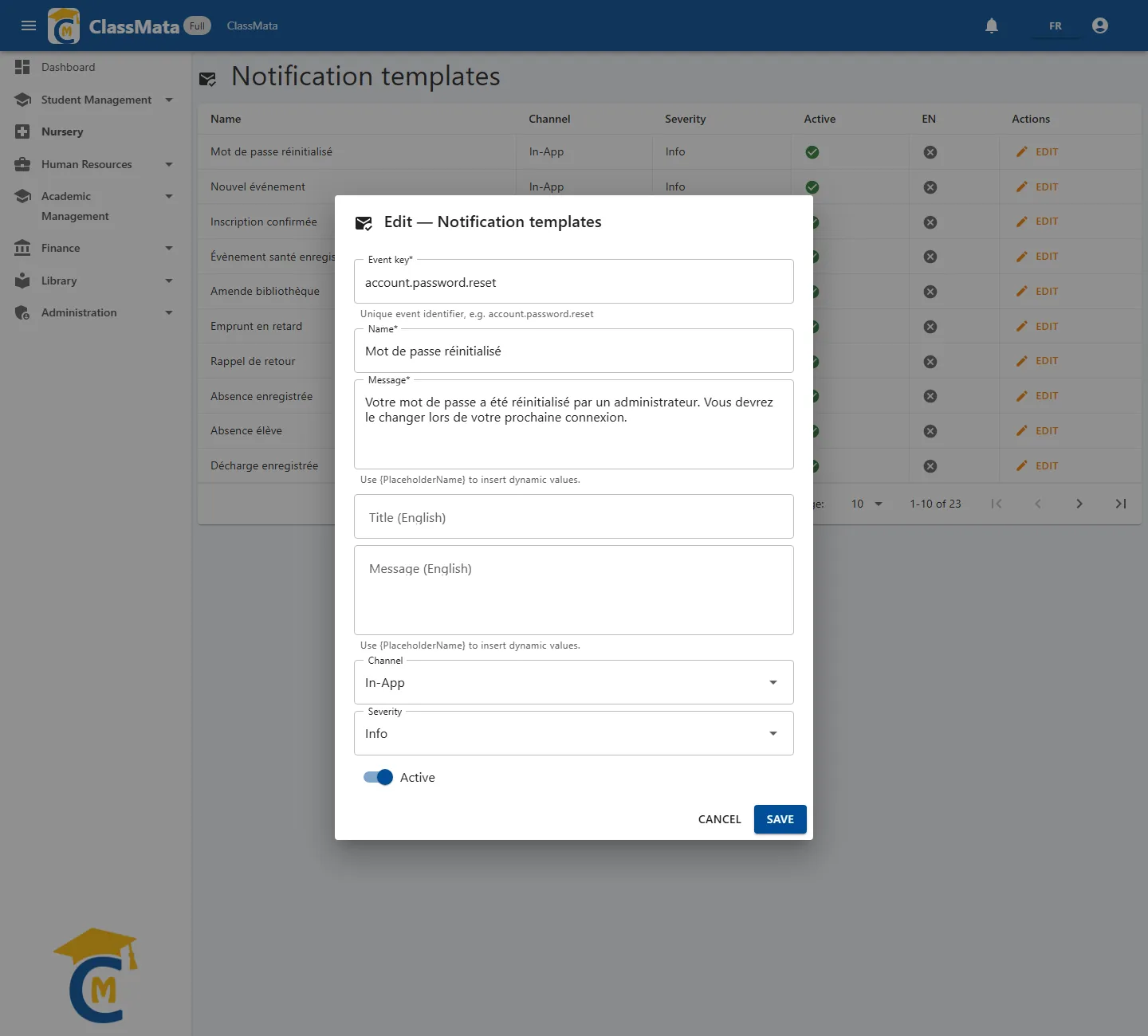
Edit opens the template:
| Field | Content |
|---|---|
| Event key | Identifier of the event concerned (for example account.password.reset). Do not change it: it is what links the template to the event |
| Name | Title of the notification, in French (required) |
| Message | Text of the notification, in French (required) |
| Title (English) / Message (English) | English version, for users who work in English |
| Channel | In-App, Email or SMS |
| Severity | Info, Success, Warning or Error |
| Active | Switch the template off to stop sending this notification |
In the text, is replaced by a value from the event. For example, the template "Payment Confirmation - " inserts the student's name. The available fields depend on the event: keep the ones already in the original text.
Channels. An In-App notification appears in the user's bell (see Notifications). An Email template uses the sending account set in Settings. The SMS channel cannot be configured yet: its setup is announced as "available soon".
Planned events
The templates provided cover the following events:
| Event | Notification |
|---|---|
account.password.reset |
Password reset |
student.enrolled |
Enrollment confirmed |
student.payment.received |
Payment received / payment confirmation |
student.payment.overdue |
Payment overdue |
student.absence.recorded |
Absence recorded |
student.discipline.incident |
Disciplinary incident |
student.clearance.registered |
Clearance recorded |
student.grade.published |
Grades published |
health.event.registered |
Health event recorded |
library.fine_issued, library.overdue_alert, library.return_reminder |
Fine, overdue loan, return reminder |
extra.event_published, extra.participation_confirmed |
New event, participation confirmed |
system.announcement, system.backup.completed, system.year.opened |
Announcement, backup completed, academic year opened |
Not every page triggers all of these events: a notification is only sent if its event occurs in the application and its template is active.
Last updated: