My Timetable
The My Timetable page shows the student their class's lessons, week by week. It is in the My Space group of the side menu (see My Grades for sign-in and the menu).
Permissions. The page requires the student-space access permission, like the other My Space pages.
Browse the weeks
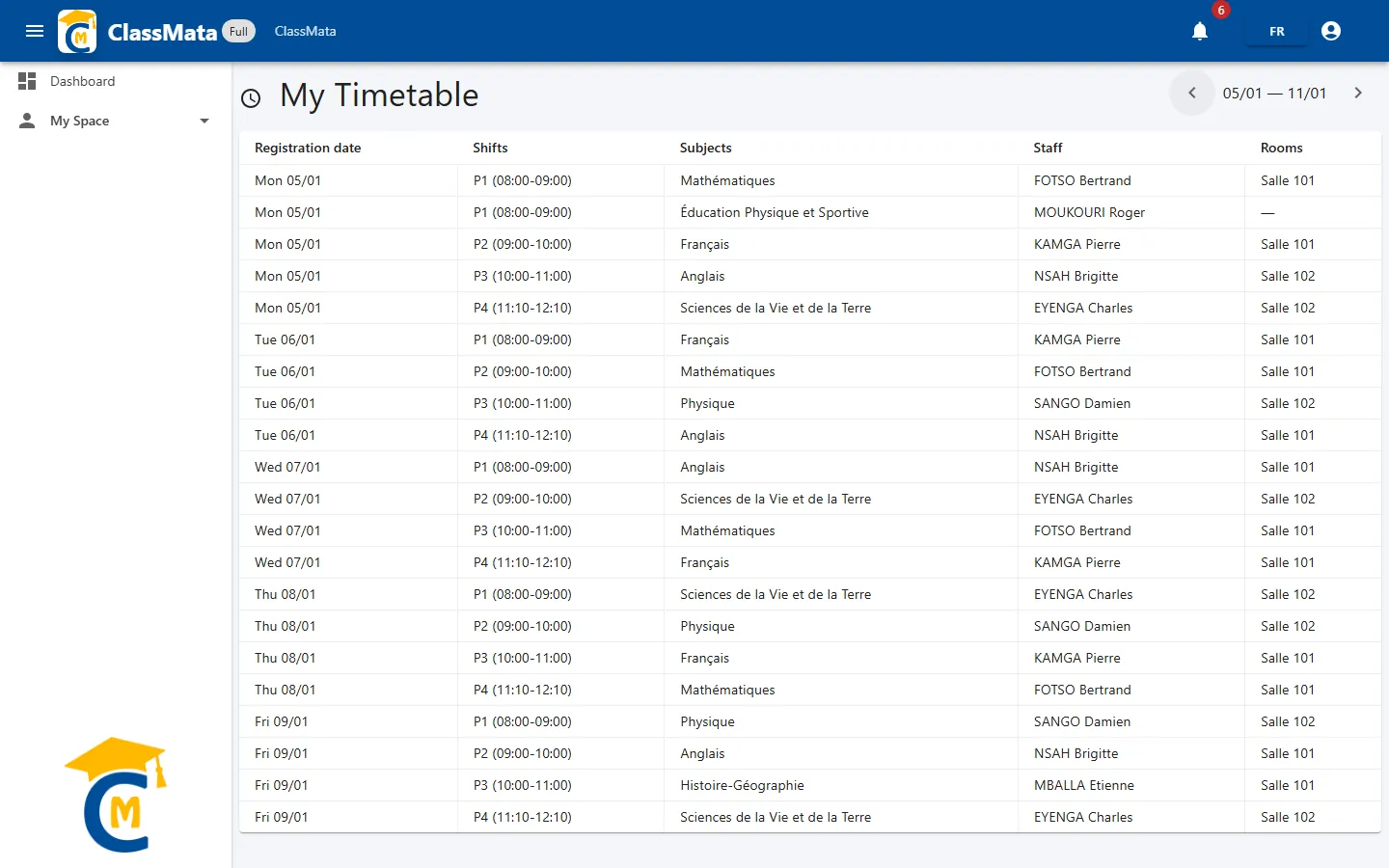
The page opens on the current week. At the top right, the date range (for example "05/01 — 11/01") is framed by two arrows, ‹ and ›, that move to the previous or next week. The week runs from Monday to Sunday.
The table lists, in order, all the week's lessons:
| Column | Content |
|---|---|
| Date | Day of the lesson ("Mon 05/01") |
| Shifts | The lesson's slot and times ("P1 (08:00-09:00)") |
| Subjects | Subject taught |
| Staff | Teacher giving the lesson ("—" if there is none) |
| Rooms | Room where the lesson takes place ("—" if none) |
This information comes from the class timetable built by the school: if nothing is scheduled for the displayed week, the message "No upcoming events" appears. The school's changes are visible as soon as they are saved.
Last updated: